Render Pipelines
Wheel Controller 3D uses URP (Universal Render Pipeline) by default. The guides below cover converting to HDRP or Built-in.
Note: This guide is for Wheel Controller 3D standalone. If you're using WC3D as part of NWH Vehicle Physics 2, refer to the Vehicle Physics documentation for render pipeline conversion.
HDRP
This guide will help you convert from URP to HDRP. If this is the first time upgrading a project to HDRP, please check out the HDRP Migration Guide first as it has some good tips on the migration process.
To let the scripts know HDRP is used:
- Add
NWH_HDRPtoProject Settings > Player > Scripting Define Symbols.
Next, upgrade the auto-upgradeable materials:
- Open the NWH folder and click on
Search By Type > Materials(small icon next to the search field). Next, click on NWH tag to search just inside the NWH folder. This will only select the materials inside the asset. If you want to upgrade the whole project, skip this step.
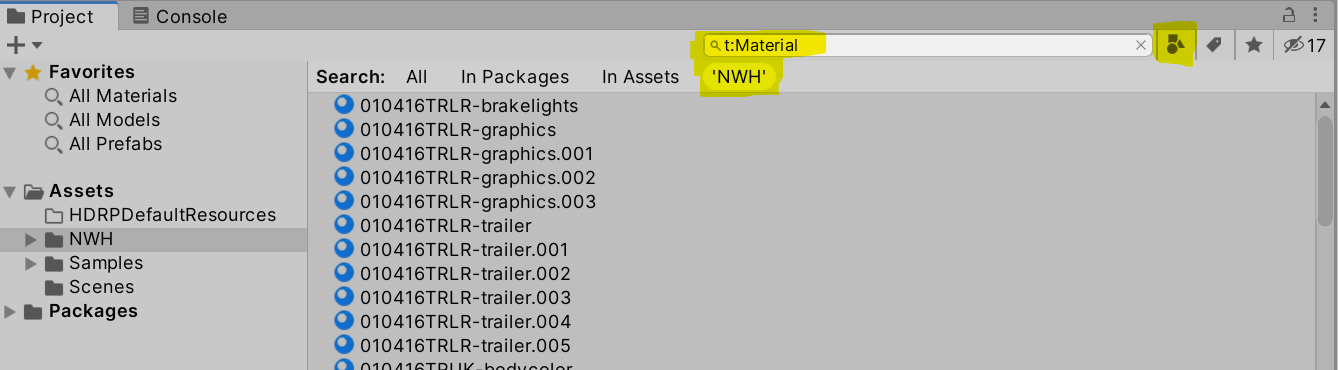
- Open
Window > Render Pipeline > HD Render Pipeline Wizard. If there are any warnings or errors, press theFixbutton next to them. - Select
Update Selected Materials to High Definition Materials. This will upgrade all the selected non-HDRP materials to HDRP ones, except for the particle materials. To upgrade the whole project, use theUpgrade Project …button.
After the automatic upgrade the scene will look normal, but the particles will still be pink. To fix this, follow the next section.
Finally, the particle materials have to be upgraded:
- Open the Package manager window (
Window > Package Manager). - Find the
High Definition RPpackage. - In the package info for High Definition RP, go to the Samples section
and import the
Particle System Shader Samplesinto the project. - If your project includes particle effects, you may need to manually assign HDRP-compatible particle materials. The included demo materials should be automatically upgraded, but custom effects may require attention.
The asset is now upgraded to HDRP.
Built-in Render Pipeline
This guide will help you convert from URP to Built-in Render Pipeline if needed for legacy project compatibility. For shader upgrade guidance, check out the Built-in Render Pipeline documentation.
To convert Wheel Controller 3D to Built-in RP:
- Open the NWH folder and click on
Search By Type > Materials(small icon next to the search field). Next, click on NWH tag to search just inside the NWH folder. This will only select the materials inside the asset. If you want to convert the whole project, skip this step.
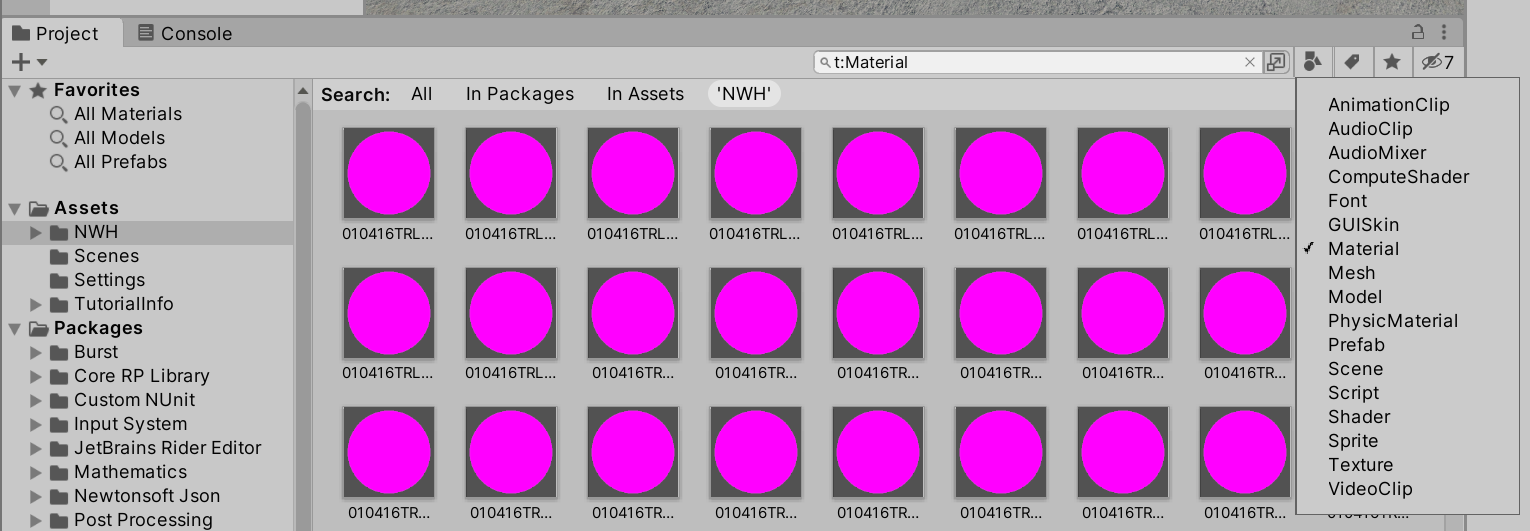
- Select the materials from the previous step and go to
Window > Rendering > Render Pipeline Converter. - Select
URP to Built-infrom the dropdown and tick theMaterial Upgrade. - Click
Initialize Convertersand thenConvert Assets