Rigging Module
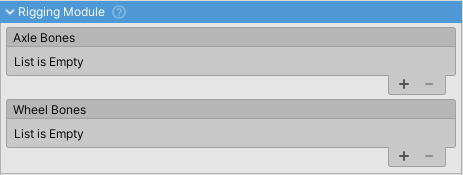
Animates rigged vehicle models through procedural bone manipulation. Bridges physics simulation and visual representation by moving bones in real-time based on wheel and suspension movement.
Overview
Use this module for vehicles with exposed mechanical components or rigged suspension systems. Each bone tracks target transforms (wheels, axles, etc.) and updates position, rotation, and scale accordingly.
Setup
Add bones to the Bones list, one per animated element. Each bone requires:
- This Transform - The bone transform to animate (from your rigged model)
- Target Transform - The transform to track (typically a wheel or WheelController)
Bone Properties
Look At Target
Rotates the bone to face the target transform. Useful for suspension arms and linkages that track wheel movement.
Stretch To Target
Scales the bone along its Z-axis to maintain connection with the target. Creates stretching/compression effect for:
- Shock absorbers
- Tie rods
- Control arms
- Hydraulic pistons
Double Sided
Positions the bone midway between Target Transform and Target Transform B. Used for components spanning between two points:
- Axles connecting left/right wheels
- Anti-roll bars
- Cross-members
Requires Target Transform B to be assigned.
Common Applications
- Suspension arms tracking wheel positions
- Rotating axles and driveshafts
- Adjusting steering linkages
- Compressing shock absorbers
- Any mechanical linkage needing procedural animation