Metrics Module
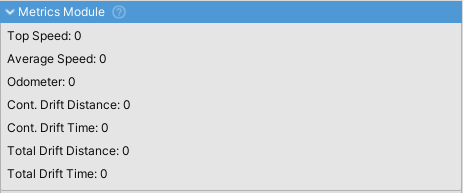
MetricsModule tracks vehicle metrics like speed records, distance traveled, and drift stats. Use this data for HUD displays, achievements, gameplay mechanics (e.g., boost systems), and statistics tracking.
Tracked Metrics
Speed Metrics
| Metric | Description |
|---|---|
topSpeed |
Maximum speed achieved (m/s) |
averageSpeed |
Mean speed calculated from total distance and elapsed time (m/s) |
Distance Metrics
| Metric | Description |
|---|---|
odometer |
Total distance traveled (meters) |
totalDriftDistance |
Cumulative distance covered while drifting (meters) |
continousDriftDistance |
Distance during current drift chain (meters) |
Time Metrics
| Metric | Description |
|---|---|
totalDriftTime |
Cumulative time spent drifting (seconds) |
continousDriftTime |
Duration of current drift chain (seconds) |
Drift Detection
Drifting is automatically detected when any wheel experiences lateral slip (isSkiddingLaterally).
Continuous drift metrics use a 0.75s timeout period, allowing brief grip recovery without breaking the drift chain. When the timeout expires, continuous drift counters reset to zero while total drift counters continue accumulating.
Accessing Metrics
All metrics are public Metric objects with a value property:
MetricsModule metrics = vehicleController.GetComponent<MetricsModuleWrapper>().module;
float topSpeed = metrics.topSpeed.value;
float driftDistance = metrics.continousDriftDistance.value;
Reset Behavior
Metrics automatically reset when the module is disabled and re-enabled. Implement external save systems for persistence across sessions.