Lights Manager
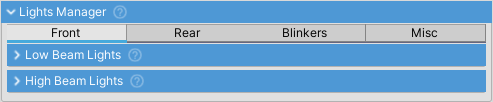
Manages all vehicle lights including headlights, brake lights, turn signals, and auxiliary lighting.
Light Types
| Light Type | Description |
|---|---|
Low Beam Lights |
Primary headlights for normal night driving. Automatically turns on tail lights when enabled |
High Beam Lights |
Full beam headlights for maximum illumination. Automatically enables low beam and tail lights when toggled on |
Tail Lights |
Rear lights that illuminate when any beam lights are on. Always red, lower intensity than brake lights |
Brake Lights |
Activate when braking. Typically share the same physical light housing as tail lights but with higher intensity |
Reverse Lights |
Automatically turn on when in reverse gear. Typically white |
Left/Right Blinkers |
Turn signals that flash at 1Hz. Mutually exclusive (activating one turns off the other) |
Extra Lights |
For special purposes such as fog lights, beacons, or light bars. Toggled independently via input |
Light Behavior
Beam Lights Hierarchy
- Low beam lights automatically enable tail lights
- High beam automatically enables low beam and tail lights when toggled on
- Turning off low beam also turns off high beam and tail lights
Blinkers and Hazards
- Blinkers flash at 1Hz (one full on/off cycle per second)
- Left and right blinkers are mutually exclusive
- Hazard lights override individual blinkers and flash both sides synchronously
- Use
LeftBlinkerStateandRightBlinkerStateproperties to get current on/off state for each frame
VehicleLight
Each light type (brakeLights, lowBeamLights, etc.) is a VehicleLight object containing a list of LightSource components. A single light can be made up of multiple components - for example, a headlight can have both a Spot Light (for scene illumination) and an emissive mesh (for lens appearance).
All sources within a VehicleLight turn on/off together as a single unit.
Multiplayer Support
Use GetIntState() and SetStateFromInt() for network synchronization. All light states are serialized into a single integer (8 bits for 8 light types).
Methods
TurnOffAllLights()- Turns off all lights and emission on all meshes