Horn Component
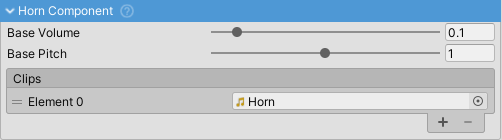
Looping sound that plays continuously while the horn input is active. Automatically starts when horn input is pressed and stops immediately when released. Supports both short beeps and sustained honks.
Properties
- Clips: Audio clip(s) for the horn sound (looping clips recommended)
- Base Volume: Volume level (0-1) before master volume is applied
- Audio Mixer Group: Other Mixer Group (inherited)
- Priority: 200 (inherited)
Setup
- Enable HornComponent in SoundManager
- Assign a looping horn audio clip
- Configure "Horn" input in Input settings
- Test in play mode
For best results, use seamless looping audio clips to avoid clicks during sustained honks.