Digital Gauge

Text-based gauge for displaying numerical or textual values on vehicle dashboards or GUI.
Requirements
- Readout: Child GameObject named "Readout" with Text component (required)
- Line: Child GameObject named "Line" with Image component (optional, only needed for progress bar)
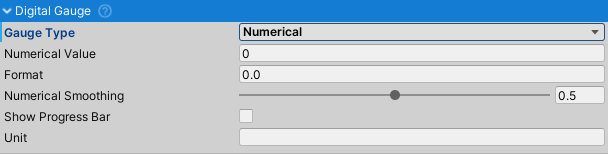
Gauge Type
- Numerical: Displays numerical values with formatting and smoothing. Use for speed, RPM, temperature.
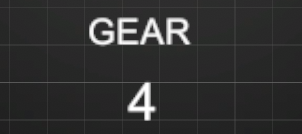
- Textual: Displays string values directly. Use for gear indicators (R, N, 1, 2, 3) or other text displays.
Numerical Properties
- Numerical Value: The value to display.
- Format: C# numeric format string. Examples:
0= no decimals0.0= one decimal0.00= two decimals (default)000= zero-padded to 3 digits
- Numerical Smoothing: Smoothing factor (0-1). Higher values create smoother transitions. Recommended: 0.3-0.7 for speed/RPM displays.
- Show Progress Bar: Enables horizontal fill bar based on value percentage.
- Max Value: Maximum value for progress bar percentage calculation (e.g., 8000 for RPM gauge).
Textual Properties
- String Value: Text to display without formatting.
Common Properties
- Unit: Unit text appended after the value (e.g., "km/h", "RPM", "°C"). Space is automatically added between value and unit.