Dash Light

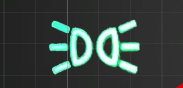
Dashboard warning/indicator light that smoothly transitions between on and off states with Unity UI Image components.
Properties
- On Color - Color when the light is active (default: white)
- Off Color - Color when the light is inactive (default: black)
- Fade Time - Duration of fade-out transition after Hold Time expires. Simulates conventional bulb dimming. Set to 0 for instant LED-style behavior
- Hold Time - Duration to keep light on after Active becomes false. Prevents flickering from rapidly changing signals (ABS, TCS). Recommended: 0.1-0.3 seconds
Usage
Control the light state via the Active property:
- Set
Active = trueto immediately turn on - Set
Active = falseto begin hold and fade-out sequence
Requires an Image component on the same GameObject.