Water Object
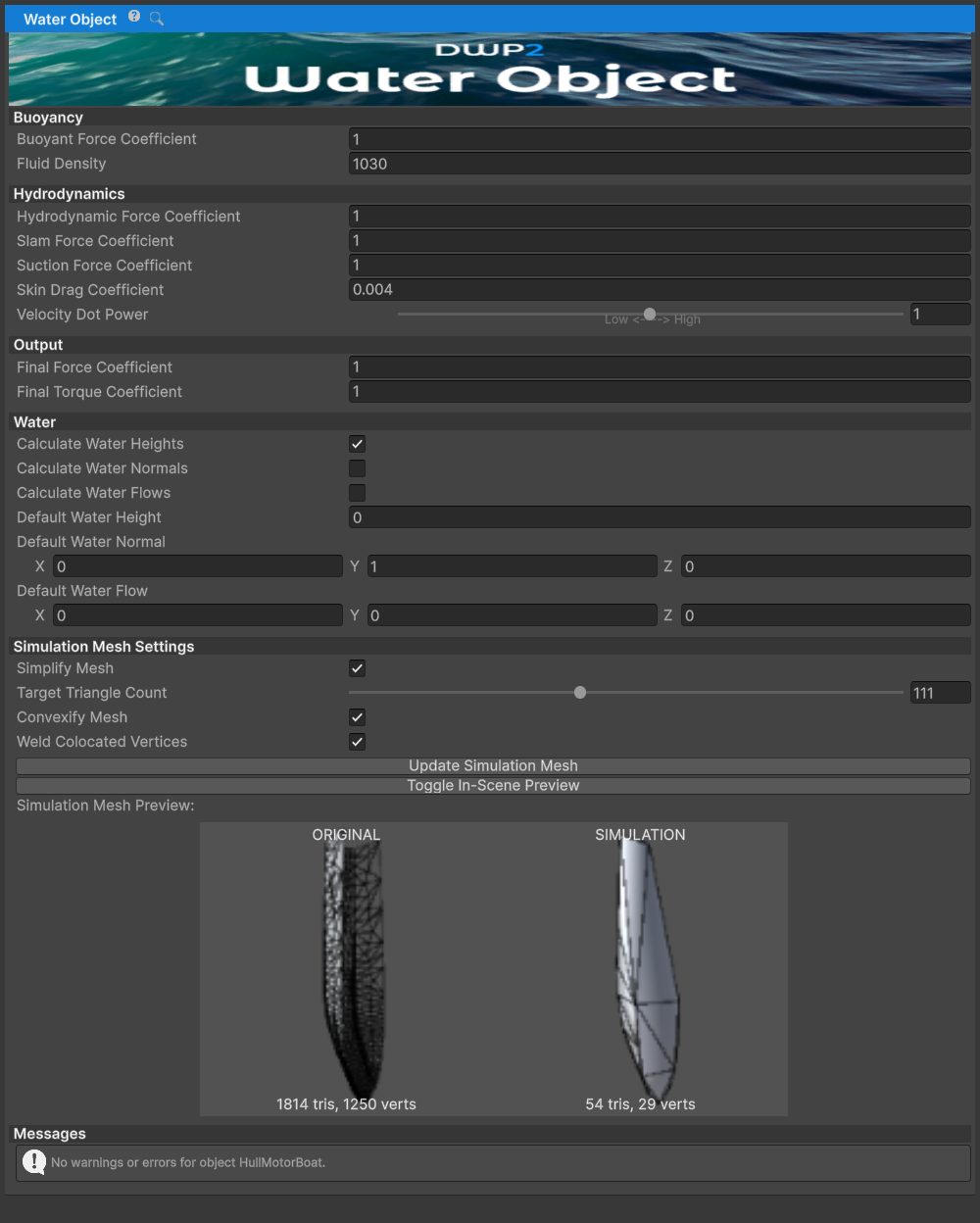
WaterObject is the main script of DWP2. It handles all the buoyancy
and hydrodynamics calculations.
WaterObject gets the data needed for simulation from the Simulation
Mesh. This is a static mesh that will be used for simulating
water/object interaction and can either be the original mesh or a
simplified version of it. WaterObject provides basic tools for mesh
triangle decimation, removal of co-located vertices, and
convexification - if needed.
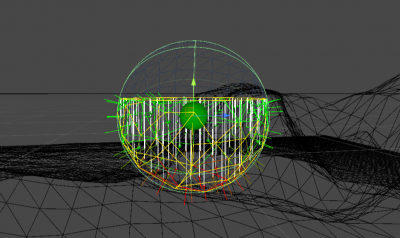
Tips
- When using hollow boat/ship hulls it is recommended to use the
Convexoption when generating the simplified mesh. WaterObjectdensity should be above ~15 kg/m³. Large volume, extremely low mass objects can cause the object to jump/fly away when falling into the water. UseMassFromVolumescript to calculate mass from object volume / density.
Field Explanations
Force Coefficients
buoyantForceCoefficient- Multiplier for buoyancy forces. Increase to make the object float higher, decrease to make it sink deeper.hydrodynamicForceCoefficient- Pressure-drag coefficient in0.5 * fluidDensity * speed^2 * submergedArea * coefficient, with the configured normal-angle, slam, and suction weighting.skinDragCoefficient- Skin-friction coefficient (Cf) in the same dynamic-pressure convention, weighted by the tangential fraction of each submerged triangle. The default0.004is suitable as a starting point for ordinary hulls.slamForceCoefficient- Multiplier for impact forces when faces enter the water. Higher values create more splash and resistance.suctionForceCoefficient- Multiplier for forces when faces exit the water. Higher values increase the suction effect.
Simulation Settings
fluidDensity- Density of the fluid in kg/m³. Default is 1030 (seawater). Use 1000 for fresh water.targetTriangleCount- Number of triangles in the simplified simulation mesh. Lower values improve performance but reduce accuracy. Range: 8-256.velocityDotPower- Exponent applied to the velocity-normal dot product. Higher values reduce hydrodynamic forces when triangles are nearly parallel to water flow.submergedVolume- Current signed displacement integrated over the submerged closed mesh, in cubic metres (m3). It is volume, not kilograms; multiply byfluidDensityfor displaced mass.
Mesh Processing
simplifyMesh- Reduces triangle count of the simulation mesh to targetTriangleCount for better performance.convexifyMesh- Makes the simulation mesh convex. Useful for hollow hulls or partially open meshes.weldColocatedVertices- Merges vertices at the same position. Improves performance and is recommended.
Public Methods
GetWaterHeightSingle(Vector3 point)- Returns water height at a single point in world space. Uses the current WaterDataProvider or falls back to defaultWaterHeight if none is active.IsTouchingWater()- Returns true if any part of the object is touching water (at least one triangle is submerged). Cache the result if calling this frequently to avoid iterating through all triangle states each frame.StartSimMeshPreview()- Enables visualization of the simulation mesh in the scene view by temporarily replacing the MeshFilter's mesh. Useful for inspecting mesh simplification results.StopSimMeshPreview()- Disables simulation mesh preview and restores the original mesh to the MeshFilter.GenerateSimMesh()- Generates or regenerates the simulation mesh based on current settings (simplifyMesh, convexifyMesh, weldColocatedVertices, targetTriangleCount). Call this after changing any mesh processing settings.
Instantiating at Run-time
WaterObjects can be instantiated at run-time like any other GameObject.